
Creating Your Policy
A Policy is a set of rules that define which users, and how many users must approve requests to recover your data. This ensures secure and controlled access to your company's critical information.
Before creating a policy in Station70, decide which users to include and how many approvals are needed.
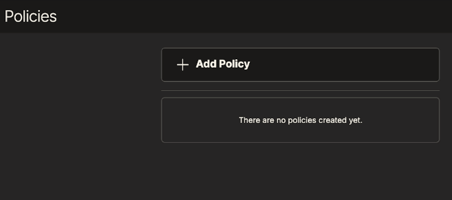
To create a policy, go to "Policies" in the menu, click "Add Policy," name it, optionally add a description, select members, and click "Create." The new policy will appear on the left.
Your approval isn't needed; selected members must approve. They'll get an email reminder.
Customers can create and update policies, but to delete one, contact Support at support@station70.com.
**Please Note** Not all users need to approve; for example, if five users are included but only two approvals are required, only two need to approve.
Best Practices
When setting up your policy here are some tips we recommend as best practices
- While creating your policy keep in mind that one user will be the requestor and the rest of your recovery quorum will approve the request.
- If your enterprise consists of 4 users, it is recommended to not have a 3-of-4 quorum (1 requester and 3 approvers). Our recommendation to have either a 1-of-4 or a 2-of-4 quorum. This still enables multiple users to be involved in the recovery process, but gives you the flexibility in case other users are unable to approve a recovery request at the time of the request.